The world of competitive esports has reached a level of intensity where hardware performance is often the final barrier between victory and defeat. As we navigate the high-stakes environment of professional gaming in this modern era, the demand for ultra-low latency peripherals has shifted from a luxury to an absolute necessity for those at the top of the leaderboards.
When every millisecond counts, your gaming mouse must act as a seamless extension of your nervous system, translating your physical intent into digital action with zero perceived delay. We are currently witnessing a massive technological leap where polling rates, sensor accuracy, and switch actuation speeds are converging to create the most responsive tools ever held by human hands.
As an expert analyst of competitive gear, she believes that the shift toward 8000Hz polling and optical switch technology is the most significant evolution in peripheral history. This guide will dive deep into the technical architecture of the world’s fastest mice, exploring how they minimize the “click-to-photon” delay that can make or break a championship run.
Whether you are a tactical shooter specialist or a fast-paced MOBA enthusiast, understanding the nuances of latency science is the first step toward optimizing your competitive setup. Let’s explore the elite tier of low-latency gaming mice that are currently dominating the professional circuit and redefining the limits of human reaction speed.
In the current landscape, the “Golden Standard” of a 1000Hz polling rate is being challenged by advanced 4000Hz and 8000Hz technologies. These advancements allow the mouse to report its position to the PC up to eight times more frequently than traditional models. This creates a smoother, more granular tracking experience that is especially noticeable on high-refresh-rate monitors like 360Hz or the newer 540Hz panels.
The Architecture of Low Latency Performance

To truly understand what makes a mouse “low latency,” we must look beyond the marketing slogans and analyze the actual hardware components inside. It isn’t just about how fast the signal travels; it’s about how quickly the hardware can detect your physical interaction.
A. Analyzing the move to 8000Hz polling rates for near-instant data transmission.
B. Utilizing optical switches to eliminate the mechanical “debounce” delay entirely.
C. Investigating the impact of high-DPI sensors on sub-pixel tracking accuracy.
D. Assessing the benefits of wireless transmission protocols versus wired connections.
E. Managing the MCU (Microcontroller Unit) processing speed to avoid internal lag.
F. Evaluating the role of friction-reducing PTFE feet in movement responsiveness.
G. Analyzing the synchronization between the mouse and the monitor refresh cycle.
H. Investigating the impact of system CPU overhead on high-polling-rate stability.
Optical switches are a game-changer because they use light beams rather than metal contact to register a click. This eliminates the need for “debounce delay,” a software-side fix used in mechanical mice to prevent double-clicking. By removing this 5–10ms buffer, optical mice provide a raw, unfiltered response that feels significantly snappier.
Razer DeathAdder V4 Pro: The New King of Speed
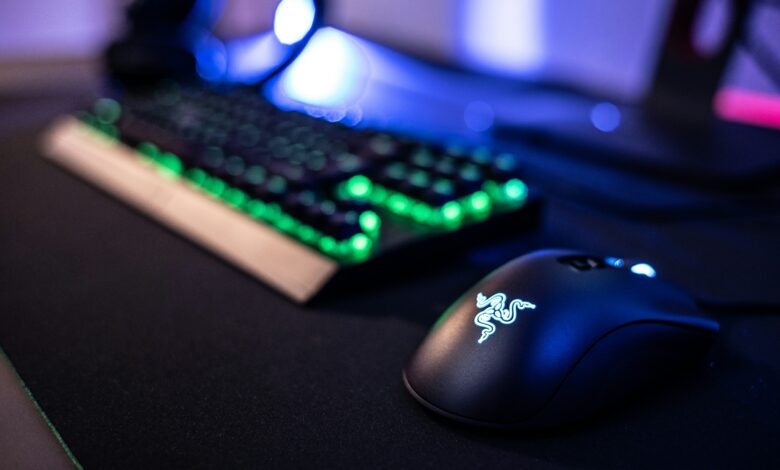
The Razer DeathAdder V4 Pro has recently taken the top spot in many professional setups due to its uncompromising focus on speed and ergonomics. It features a next-generation Focus Pro 45K sensor and support for a native 8000Hz wireless polling rate.
A. Utilizing the Focus Pro 45K Optical Sensor for pixel-perfect tracking.
B. Analyzing the 56-gram ultra-lightweight chassis for rapid flick movements.
C. Investigating the HyperSpeed Wireless Gen-2 protocol for interference-free play.
D. Assessing the 150-hour battery life at a standard 1000Hz polling rate.
E. Managing the transition to 8000Hz polling which reduces battery to 22 hours.
F. Evaluating the Gen-3 Optical Mouse Switches for 90 million click durability.
G. Analyzing the multi-device support for streamlined desk setups.
H. Investigating the textured grip surface for maximum control during sweat.
This mouse is the definition of “bleeding-edge” technology, offering a level of responsiveness that was previously only available on wired models. While 8000Hz is technically a massive drain on battery life, the performance gain in a tournament setting is undeniable. For players who demand the absolute fastest wireless connection, the V4 Pro is currently the benchmark.
Logitech G Pro X Superlight 2: The Pro Choice
Logitech continues to dominate the pro scene with the G Pro X Superlight 2, which remains the most popular mouse among competitive FPS players. Its reliability and “Lightforce” hybrid switches offer a perfect balance of tactile feel and optical speed.
A. Utilizing Lightforce Hybrid Switches for a mechanical feel with optical speed.
B. Analyzing the Hero 2 sensor for consistent tracking across various surfaces.
C. Investigating the 4000Hz wireless polling update for improved smoothness.
D. Assessing the 60-gram weight which remains a favorite for many pros.
G. Managing the USB-C charging transition for modern compatibility.
H. Evaluating the PowerPlay compatibility for infinite wireless gaming.
The Superlight 2 is praised for its “safe” shape, which accommodates almost any grip style from palm to fingertip. While it doesn’t push the polling rate quite as high as Razer’s flagship, its consistency and software stability make it a trusted weapon for pros. It proves that sometimes, the most reliable tool is better than the one with the highest paper specs.
Asus ROG Keris II Ace: The Precision Specialist
Asus has made major waves with the Keris II Ace, a mouse specifically designed with input from professional aimers to ensure maximum precision. It features an impressive 42,000 DPI sensor and a dedicated “AimPoint Pro” technology.
A. Utilizing the ROG AimPoint Pro sensor for industry-leading accuracy.
B. Analyzing the 54-gram weight which competes with the lightest mice available.
C. Investigating the ROG Omni Receiver for multi-peripheral wireless pairing.
D. Assessing the 8000Hz polling rate support through the ROG Polling Rate Booster.
E. Managing the PBT button texture to prevent finger slipping during play.
F. Evaluating the paracord-like cable for minimal drag when playing wired.
G. Analyzing the 100 million click lifespan of the ROG Optical Micro Switches.
H. Investigating the onboard memory profiles for plug-and-play tournament use.
The Keris II Ace is a technical marvel that focuses heavily on the “hand-to-screen” connection. The Polling Rate Booster is a unique accessory that allows the mouse to hit those 8000Hz reporting speeds without sacrificing the internal antenna strength. It is an excellent choice for players who want a smaller, more ergonomic shape than the DeathAdder.
The Physics of Friction: Mouse Feet and Pads
A low-latency sensor is useless if your mouse is fighting against the friction of your mousepad. The material of your mouse feet and the texture of your pad play a massive role in “perceived latency” or how long it takes you to start and stop a movement.
A. Utilizing 100% virgin-grade PTFE feet for the smoothest possible glide.
B. Analyzing the benefits of glass skates for ultra-low initial friction.
C. Investigating the impact of “Control” versus “Speed” cloth pads on aim.
D. Assessing the durability of ceramic feet compared to traditional plastic.
E. Managing the “break-in” period for new mouse feet and pads.
F. Evaluating the impact of humidity on cloth pad friction and latency.
G. Analyzing the thickness of the feet and how it affects the sensor’s Lift-Off Distance.
H. Investigating the use of hard pads for the absolute lowest kinetic friction.
Most pro-tier mice now come with oversized PTFE feet to ensure that the glide is as consistent as possible. Some enthusiasts even swap these out for aftermarket glass skates, which offer a “floating” sensation that is unmatched for tracking-heavy games like Apex Legends. Choosing the right combination of feet and pad is a personal journey that depends on your specific aiming style.
Wired vs Wireless: Is the Gap Finally Closed?
The debate over wired versus wireless has been raging for a decade, but with current technology, the latency gap has been effectively eliminated. In some cases, high-end wireless mice now outperform budget wired mice due to better internal processors.
A. Analyzing the “HyperSpeed” and “Lightspeed” protocols for sub-1ms wireless.
B. Utilizing USB extenders to keep the wireless dongle as close to the mouse as possible.
C. Investigating the impact of 2.4GHz interference from routers and phones.
D. Assessing the “Input Jitter” differences between wired and wireless modes.
E. Managing the weight difference caused by internal wireless batteries.
F. Evaluating the “Emergency Wired Mode” for tournaments with high RF noise.
G. Analyzing the polling rate stability over a wireless connection.
H. Investigating the psychological trust players have in a physical cable.
Wireless freedom allows for larger, unrestricted movements that aren’t hampered by “cable tug” or “bunching.” For most players, the minor weight penalty of a battery is worth the freedom of movement. However, in environments with extreme wireless noise—like a crowded LAN hall—a wired connection still offers the ultimate peace of mind.
The Role of Polling Rate in High-Level Aiming
While 1000Hz is standard, 4000Hz and 8000Hz are the new frontiers for enthusiasts. These higher rates provide more frequent updates to the PC, which results in a smoother cursor path that follows your physical movement more closely.
A. Analyzing the “Stutter-Free” tracking on high-refresh-rate monitors.
B. Utilizing 8000Hz to reduce the “Micro-Jitter” in fast tracking scenarios.
C. Investigating the CPU load increase associated with 8000Hz polling.
D. Assessing the compatibility of different game engines with high-Hz mice.
E. Managing the “Polling Rate Paradox” where higher Hz can sometimes feel “heavier.”
F. Evaluating the battery life trade-offs for daily use vs. competitive play.
G. Analyzing the impact of high-Hz reporting on Windows cursor smoothness.
H. Investigating the requirement of a powerful CPU to handle 8000 reports per second.
It is important to note that you need a powerful PC to handle an 8000Hz mouse. If your CPU is already struggling to run your game, the extra work of processing 8000 reports every second can actually cause your FPS to drop. For most users, 4000Hz is the “Sweet Spot” that offers a noticeable gain without tanking system performance.
Conclusion

The selection of a low-latency gaming mouse is the most personal and impactful decision any competitive player can make for their setup. Modern technology has reached a point where wireless performance is indistinguishable from, and sometimes superior to, traditional wired connections. The introduction of 8000Hz polling and optical switch technology has pushed the boundaries of human responsiveness to their absolute limits.
Razer, Logitech, and Asus remain the dominant forces in the market, each offering a unique approach to the pursuit of zero latency. Weight and shape are just as important as technical specs, as a mouse must feel like a natural extension of your hand to be effective. Optical switches have fundamentally solved the “double-click” issue while providing faster actuation than mechanical alternatives.
High-DPI sensors are not just about sensitivity but about providing the granular data needed for perfect tracking at high speeds. Investing in a high-quality mousepad and PTFE feet is a cost-effective way to significantly improve the “feel” of your latency. A powerful CPU is a hidden requirement for those who wish to utilize the highest polling rates currently available in 2026.
Total system latency is a chain, and the mouse is the first critical link in translating your skill into on-screen results. The market is currently full of incredible options that cater to every grip style, from the legendary DeathAdder shape to the symmetrical G Pro. As we move forward, we can expect these elite features to trickle down into more affordable budget models for the general public. Ultimately, the best mouse is the one that gives you the most confidence to make every shot count when the pressure is at its highest.